


Broad Match Pulling In Junk Searches
"Free", "jobs", "DIY" and out-of-area searches can quietly take a large share of spend when keywords run on broad match with no negatives.
PPC and Google Ads
Paid search that reaches people ready to call today, and stops paying for the ones who never will.
The Digital Elites builds and runs Google Ads, Local Services Ads and Microsoft Ads campaigns for service businesses and specialist firms. Every campaign starts with the jobs you want more of, the area you actually serve and a way to track which clicks turned into calls.
Taking over an account that has been running for years? We start with an audit of where the money has gone and cut the waste before we spend a dollar more.
Overview
PPC management is the work of deciding which searches you pay for, what you say to them and where the click lands.
Most of the results come from three unglamorous jobs: keeping the keyword list tight, writing ads that match what the person typed, and sending the click to a page that answers the question and makes calling easy. We do all three, then check every month which ones are paying off.
Your ad spend is paid straight to Google or Microsoft. Our management fee is separate and fixed, so we have no reason to push your budget up.
Where budgets leak
Most accounts we audit aren't short of budget. They're paying for the wrong searches, sending clicks to the wrong page or can't tell which clicks became customers.
"Free", "jobs", "DIY" and out-of-area searches can quietly take a large share of spend when keywords run on broad match with no negatives.
Someone searching for a specific service lands on a general page, can't find the answer and goes back to the results.
Without call tracking the account optimizes for clicks and form fills, while the phone calls that pay the bills go uncounted.
Search terms, competitors and costs change every month. An account nobody reviews drifts toward the expensive, low-intent clicks.
What's included
Each engagement is scoped to your account size and goals. These are the pieces we use most often.
We pull the last 90 days of search terms, spend and conversions and show you exactly where the budget went.
You get a short list of fixes ranked by how much money they save or recover.
The audit checks:
We build campaigns around the searches that mean someone wants to hire you, grouped by service so each one gets its own ad and budget.
Negative keyword lists block the job seekers, the bargain hunters and the DIY crowd from day one, and we add to them every week from the live search terms report.
Every ad group sends people to a page about the service they searched for, with the price range, the area you cover and a phone number above the fold.
We write the ads and the landing-page copy together, so the promise in the ad is the first thing the visitor sees.
Tracked phone numbers, form tracking and Google Ads conversion imports show which keywords produce calls, not just clicks.
Where your CRM or booking software allows it, we feed booked jobs back into Google Ads so bidding learns from real customers.
For trades and many professional services, Google Local Services Ads put you above the regular ads and charge per lead instead of per click.
We set up and manage your profile, dispute invalid leads and run Microsoft Ads where your customers are older or on desktop.
Bids, budgets, search terms and ad tests are reviewed every week, not once a quarter.
Seasonal swings, competitor moves and new services get handled in the account as they happen.
A monthly report shows spend, calls, forms and cost per enquiry by campaign, with what we changed and what we're testing next.
You also get live dashboard access, so you never have to wait for a report to see this week's numbers.
Landing pages
Paying for a click and sending it to a weak page is the most expensive mistake in PPC. Before a campaign goes live, the page it points to answers the questions a buyer has in the first ten seconds.
A paid landing page should show:
If your current pages can't do this, we build or rewrite them as part of the setup. It usually lifts results more than any bid change.
Measurement
Click-through rate and ad position tell you the ads are seen. They don't tell you whether the phone rang.
| Measure | What it tells you |
|---|---|
| Tracked calls and forms | How many real enquiries each campaign and keyword produced |
| Cost per enquiry | What you paid, on average, for each call or form |
| Search term quality | How much spend went to searches that match your services |
| Impression share | How often you showed for searches you wanted, and why you missed the rest |
| Booked jobs | Which enquiries became customers, where your CRM shares the data |
| Missed-call timing | When calls from ads go unanswered, so the schedule can follow your staff |
Booked-job tracking needs your CRM, booking software or a simple outcome sheet from your team. We set up whichever your business can keep up with.
Recent work
Sites and landing pages we designed and built. These show our website work, not ad results. Hover a project to scroll the page.

Site for a virtual interior design studio selling room makeovers, full-home packages and new-build plans.

Website for a Georgia roofing contractor covering repairs, replacements, metal, TPO and solar roofing.

Website selling Singapore home staging and interior renovation as a single service.
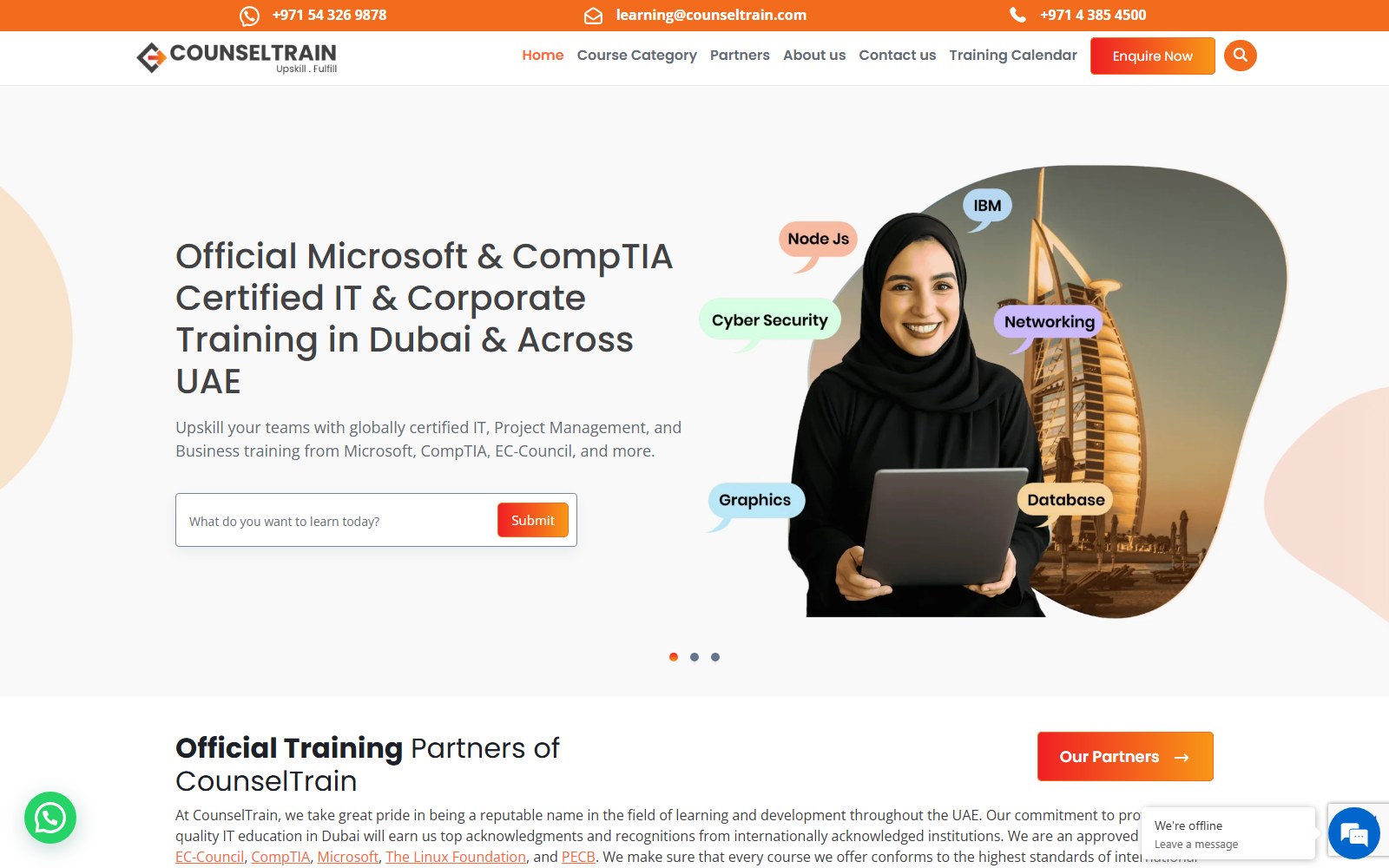
Website for a UAE provider of IT and professional certification training for teams.

Website for a Singapore psychology practice offering assessments, psychotherapy and counselling.

Website for a supplier of bumper plates, bars, racks and rigs for home and commercial gyms.

Website for a go-kart parts seller, race team and driver development programme.
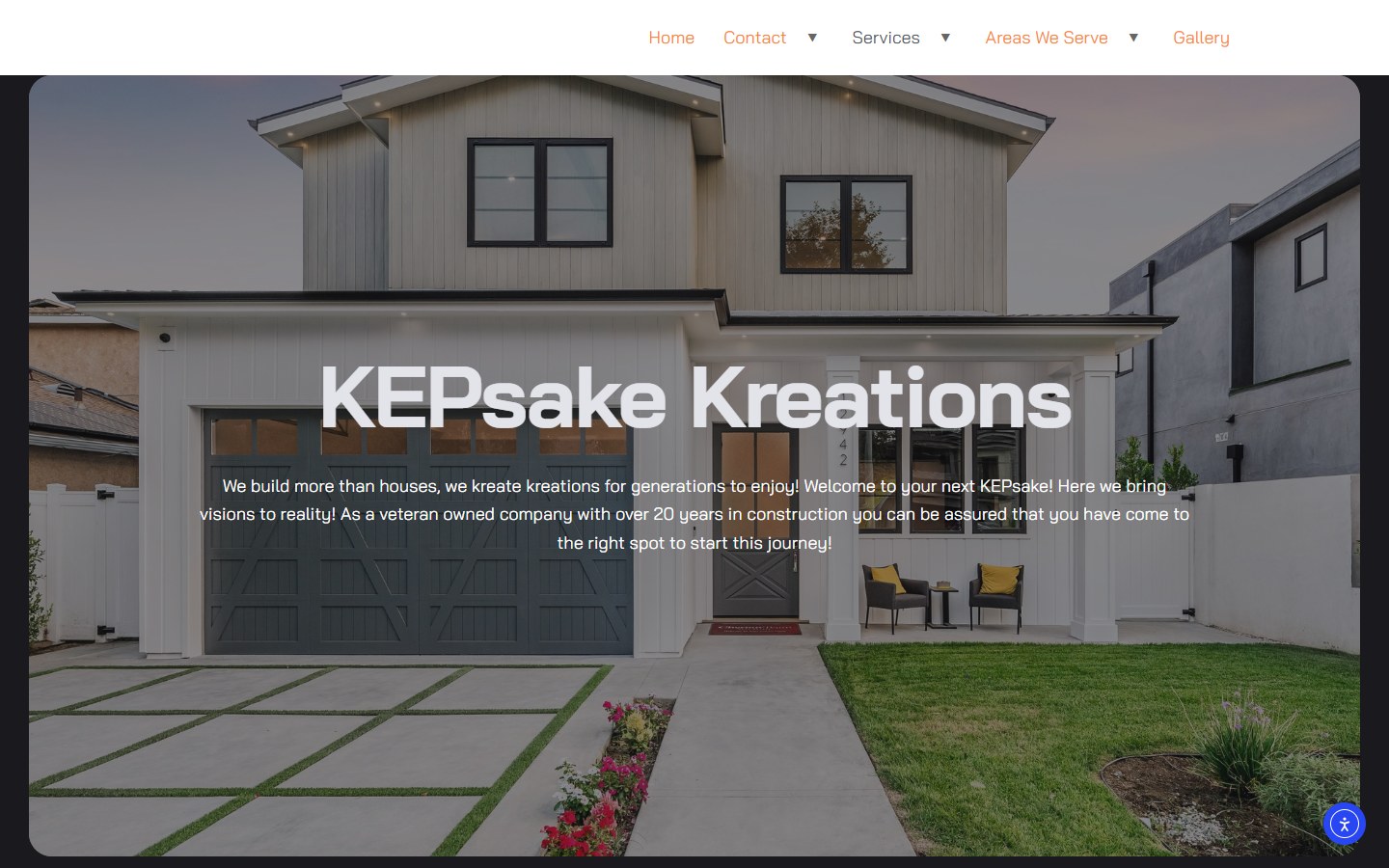
Website for a Tennessee renovation firm: basements, custom homes and outdoor living.

Website for a Dubai advisory firm covering strategy, M&A, data and AI, risk and governance.
How it works
For an existing account we audit 90 days of data. For a new one we agree services, area, budget and what counts as a lead.
Call tracking and conversion actions go in before any spend changes, so every decision after that rests on real numbers.
Tight ad groups by service, negative lists, location settings and ads written for each search theme.
Each campaign points to a page built for it. We launch with a conservative budget and watch the search terms daily for the first two weeks.
Search terms, bids and ad tests are reviewed weekly. Budget moves toward the campaigns with the lowest cost per enquiry.
Already running ads? We'll show you where the budget went last quarter.
Request a Google Ads ReviewOngoing management
Google Ads rewards accounts that are worked on. A monthly engagement keeps the account tight as search behavior and competition change.
No long contracts. If the numbers don't justify the fee, you can stop.
Each month includes:
The first month is mostly rebuilding and tracking. From month two the work shifts to testing and moving budget toward what's working.
Compare
Each one reaches people at a different point. Most service businesses need the first two before the third.
You pay per click to appear when someone types a service into Google. Best for high-intent searches like "emergency", "near me" and specific job types.
Google-screened listings above the regular ads. You pay per lead rather than per click, and reviews and responsiveness decide your position.
Talk to Us About LSAAds shown to people who already visited your site. Useful for bigger, considered jobs where buyers compare quotes over weeks.
See Our Social Media AdsWe'll tell you which ones your budget can actually support. Splitting a small budget across all three usually means none of them work.
Your plan
The right budget depends on what a customer is worth to you, not on what Google suggests.
We plan around:
A budget built on those numbers is easier to defend and easier to scale when it works.
Learn About The Digital ElitesFAQ
We won't put a number on it before we've seen your market, your budget and your current conversion rate, and you should be wary of anyone who does. What we will do is show you the cost per enquiry from your own account every month, from the first month, so you can judge it yourself.
Enough to get a steady flow of clicks on your main services in your area, usually tested over two to three months. We work backwards from your job value and close rate, and we'll tell you plainly if your budget is too small to compete in your market.
A fixed monthly management fee based on the number of campaigns and the work involved, quoted before we start. Ad spend is paid directly to Google or Microsoft and is separate. No percentage-of-spend fees and no long contracts.
Yes, and we prefer to. Your account history is valuable, so we audit and rebuild inside it rather than starting from zero. You keep full ownership and admin access throughout.
Ads bring calls this week; SEO builds visibility that keeps working without paying per click. If your schedule has gaps now, start with ads. If you're booked out, put more into SEO. Most of our clients run both, weighted to the season.
Yes. We handle the profile, verification steps, service categories and budget, and we review leads every week so you can dispute the ones that weren't genuine. Google runs the background and licence checks, and how long they take depends on your trade and state.
Ads can produce calls within days of launch. Getting the account efficient takes longer: the first four to eight weeks are spent cutting wasted searches and testing ads, and cost per enquiry usually settles after that.
You do. The Google Ads account, the tracking numbers and the landing pages are set up under your business. If we ever part ways, everything stays with you.
Send us your current spend and the jobs you want more of. We'll tell you plainly what we'd cut, what we'd keep and whether paid search makes sense for you right now.