
Garage Door SEO vs Google Ads: Which Is Better?
Every garage door company owner eventually asks the same question: should I put my marketing budget into SEO, into Google […]
If you run a chiropractic practice, there’s a good chance most of your new patients find you the same way: they type “chiropractor near me” or “chiropractor in your city” into Google,…
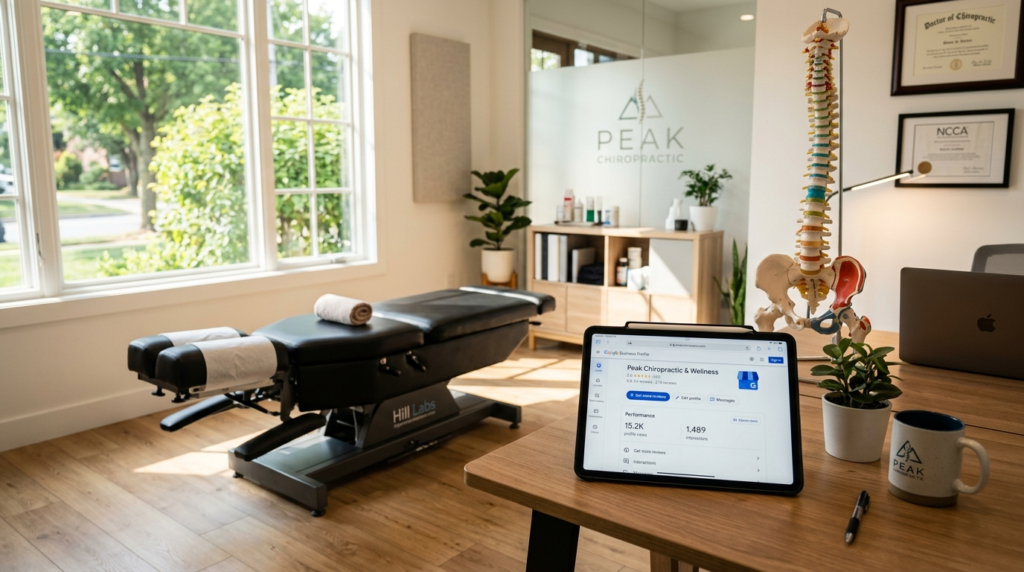
If you run a chiropractic practice, there’s a good chance most of your new patients find you the same way: they type “chiropractor near me” or “chiropractor in your city” into Google, scroll past the ads, and click on one of the three listings that show up with a map next to them. That little block is called the Google Local Pack, and your Google Business Profile is the only thing that decides whether you show up in it.
A lot of chiropractors set up their profile once, years ago, and never touch it again. That’s a mistake. Google rewards profiles that stay active, accurate, and full of useful information and patients trust profiles that look cared for. Below is a practical, no-fluff guide to getting your Google Business Profile working harder for your clinic.
NAP stands for Name, Address, and Phone number. It sounds simple, but inconsistent NAP information is one of the most common reasons chiropractic clinics struggle with local rankings.
Check your Google Business Profile against your website, your Facebook page, Yelp, Healthgrades, and any local directories you’re listed in. If your website says “123 Main St, Suite 4” but your Google listing just says “123 Main St,” that mismatch sends a small but real signal to Google that something’s off. Pick one exact format for your business name, address, and phone number, then make sure every listing across the web matches it word for word.
Your primary category should simply be “Chiropractor.” That’s not negotiable, it’s the clearest signal you can send Google about what your business does.
From there, Google lets you add secondary categories. If your practice also offers massage therapy, physical therapy, or sports medicine services, add those as secondary categories rather than trying to cram everything into your business name or primary listing. This helps you show up for a wider range of searches without diluting your main category.
Google gives you 750 characters for your business description. Most chiropractors either skip this entirely or fill it with generic phrases like “we provide quality care for all your needs.” Neither helps.
Instead, write a few sentences that actually describe what makes your clinic different. Mention your specialties (prenatal care, sports injuries, auto accident recovery, pediatric chiropractic), your approach (gentle techniques, same-day appointments, walk-ins welcome), and naturally include your city or neighborhood once or twice. Avoid keyword stuffing, Google’s systems are good at spotting it, and patients can tell when they’re reading marketing copy instead of an honest description.
Listings with photos get significantly more clicks and direction requests than listings without them. But it has to be real photography, not stock images.
At a minimum, include:
Update your photos every few months. A profile that hasn’t added a new photo in two years reads as inactive, both to patients and to Google’s ranking systems.
Reviews are one of the heaviest-weighted local ranking factors, and they’re also the first thing a new patient reads before deciding whether to call you. The clinics that win here aren’t necessarily the ones with the most five-star reviews overall, they’re the ones with a steady, ongoing stream of recent reviews.
A simple system works better than sporadic effort. After a patient has a good visit, send a text or email with a direct link to your review page (Google lets you generate a short link specifically for this). Don’t wait until you “remember” to ask, build it into your discharge or check-out process so every happy patient gets the same simple nudge.
When a review comes in, respond to it. Thank the patient by name if the review is positive, and keep it brief. If you get a negative review, respond calmly and professionally, acknowledge their concern, and invite them to reach out directly to resolve it. Future patients read these responses closely, and a thoughtful reply to a bad review can build more trust than ten generic five-star testimonials.

Most chiropractors don’t know this feature exists, which is exactly why using it gives you an edge. Google Posts let you share short updates directly on your profile, a new service you’re offering, a seasonal promotion, a blog post, or a simple health tip.
Posts expire after seven days for most types, which is actually useful: it forces a rhythm of regular activity. A profile that posts every week or two looks active and current. A profile that hasn’t posted anything in a year looks abandoned, even if the clinic itself is thriving.
Anyone can ask a question on your Google Business Profile, and anyone can answer it, including people who have no connection to your clinic. If you leave this section empty, you’re letting strangers (or worse, competitors) shape the answers.
Seed it yourself with the questions you get asked most often at the front desk: Do you accept walk-ins? Do you take my insurance? Do you treat children? Is there parking available? Answer each one clearly and check back periodically for new questions so you can respond before someone else does.
Few things frustrate a potential patient more than driving to a clinic that Google said was open, only to find the doors locked. Update your holiday hours ahead of time, and double check your regular hours whenever your schedule changes. This seems minor, but it directly affects both your rankings and your patient experience, Google has openly stated that accuracy and freshness of information factor into local search visibility.
Google Business Profile allows you to list specific services (like “sports injury treatment” or “prenatal chiropractic care”) with short descriptions. Most clinics skip this section entirely, which means most clinics are leaving an easy ranking opportunity on the table. Filling it out thoroughly gives Google more context about exactly what you offer and helps you show up for more specific, high-intent searches.
Inside your Google Business Profile dashboard, you can see how patients are finding you, whether they searched your business name directly or searched a general term like “chiropractor [city]” and found you that way. You can also see how many people called you, requested directions, or visited your website directly from the listing.
Check this every month or so. If you notice direction requests dropping, that might mean a competitor has pulled ahead in the local pack. If calls are climbing after you start posting more often, that tells you the activity is paying off. Treat your profile like a living part of your marketing, not a one-time setup task.
A strong Google Business Profile won’t replace the rest of your marketing, but it’s often the single highest-leverage thing a chiropractic clinic can maintain. It’s free, it sits right at the top of local search results, and it’s frequently the very first impression a potential patient has of your practice before they ever set foot in your office.
Set aside thirty minutes a month to keep it current, new photos, a fresh post, a quick check of your Q&A and reviews, and you’ll likely see steadier patient inquiries than from almost any other single marketing effort.
Keep reading
 Blog
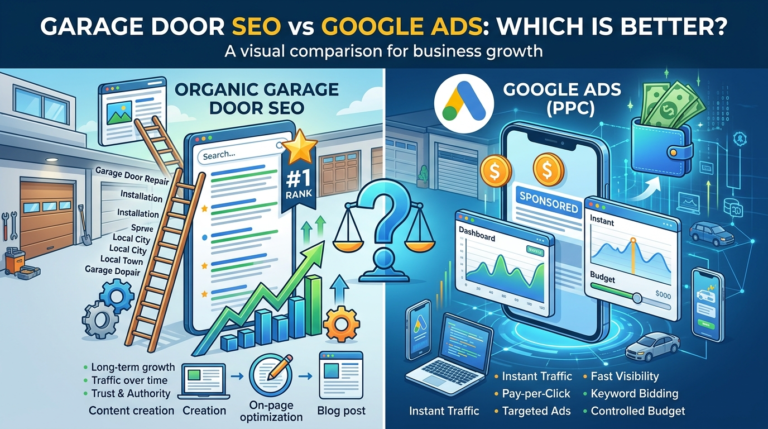
Blog Every garage door company owner eventually asks the same question: should I put my marketing budget into SEO, into Google […]
 Blog
Blog A lot of garage door companies build a website with a homepage, a services page, and a contact page — […]
 Blog
Blog SEO takes months to pay off. Google Ads can start ringing your phone today. For garage door companies, where a […]
Marketing
Reviews, local SEO and a website that is easy to use work best together. Tell us about the business and we’ll tell you, plainly, what we would do next.